Making Accommodation Bookings
Order Type
RoomBoss uses 3 different Order Types, these are Internal, Request and Reservation:
- An Internal Order is entered by you and exists only within your account. It will not be sent to the Vendor unless you change it to a Request.
- A Request Order is entered by you and is sent to a Vendor, this is not a confirmed booking unless the Vendor changes it to a Reservation.
- A Reservation Order is a booking that has been confirmed by a Vendor.
Depending on the access offered by the accommodation Vendor you may have access to make a confirmed booking online (a Reservation) or make a request to book which requires subsequent confirmation by the Vendor to become a confirmed booking (a Request).
The process to make a booking Request or Reservation are the same and the Order Type is displayed during the process.
Making an Accommodation Booking
Navigate → Bookings → New Accommodation Booking
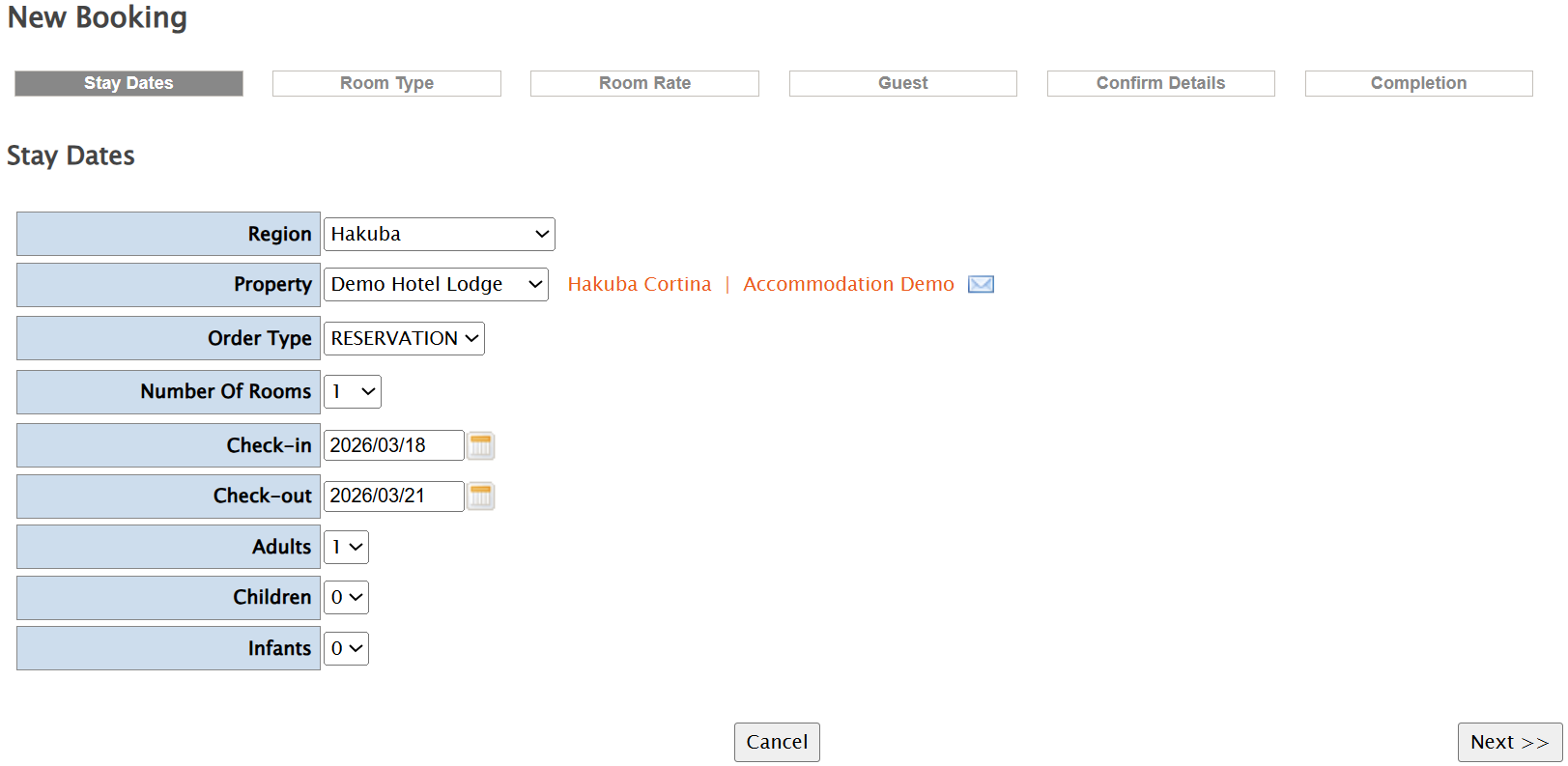
On this page, select the details of the property you wish to book, number of rooms, dates and number of guests and click Next to continue.
On the following 3 screens you will need to:
- Select the room type(s) you wish to book – click Next to continue.
- Choose a rate plan and check the rate – click Next to continue.
- Enter the guest details – click Next to continue.
On the Confirm Details page:
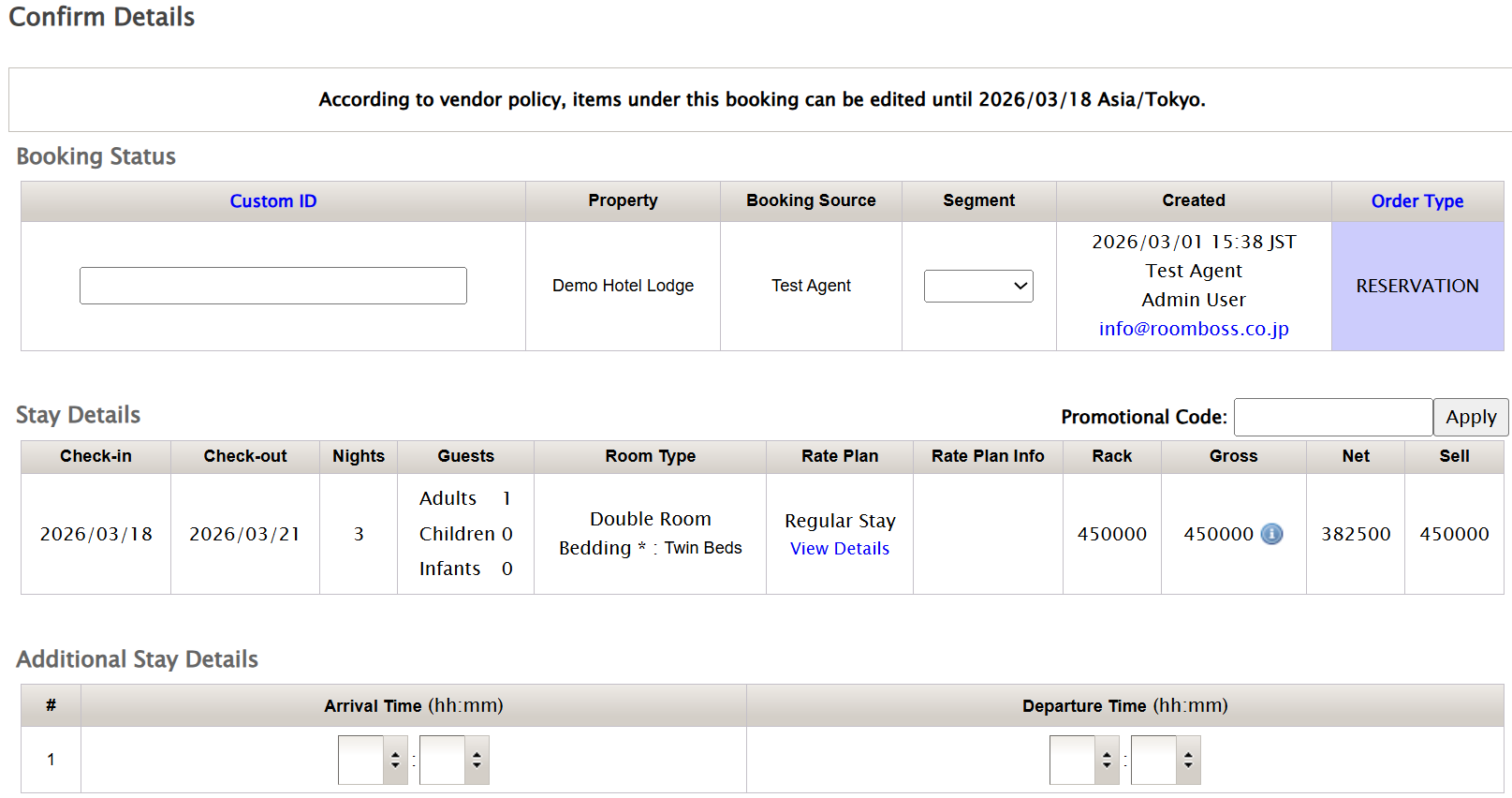
Check the details of your booking.
You can also enter the following information on this page:
- Custom ID – You can add your own id number to the booking. You can then search for this id number to find the booking in RoomBoss.
- Additional Stay Details – Inform the Vendor of your guests’ arrival and departure times.
- Message to Vendor – Add any comments / requests for the Vendor here.
- Private Notes – Add any notes you wish to here, this area is not visible to the Vendor.
Click Next to complete your Request / Reservation.