Booking Notification Emails
This page outlines the conditions under which notification emails are sent in RoomBoss. Notification emails are used to inform relevant parties when bookings are created, modified, or cancelled, or when a message has been added.
Notification email triggers, recipients, and content are NOT customizable.
Types of Notification Emails
There are 4 types of notification emails currently being sent in RoomBoss:
- New Booking
- Booking Modified
- Booking Cancelled
- Message Notification
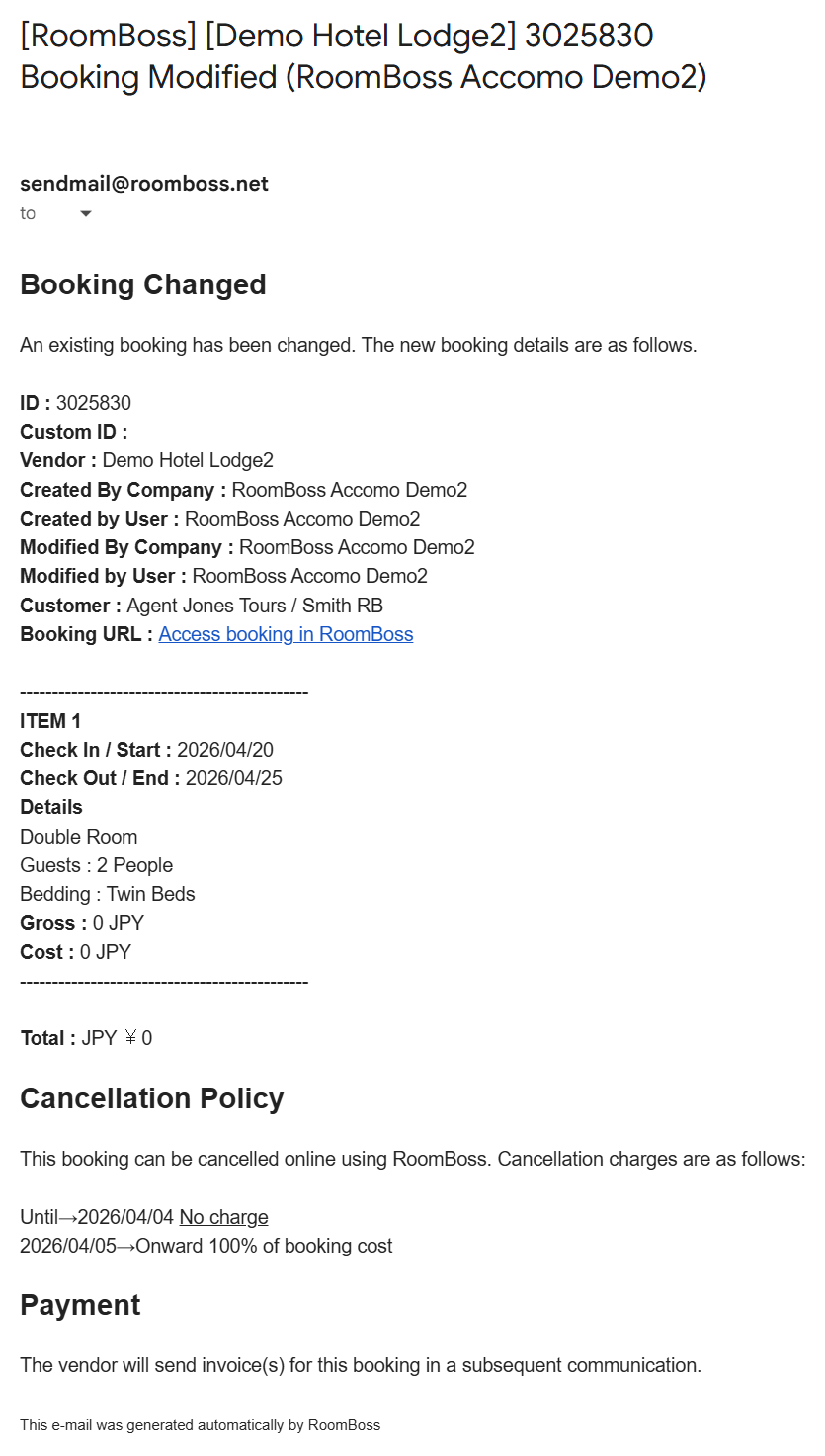
Example of email:
Who Receives Notification Emails?
Notification emails may be sent to the following recipients, depending on the booking type:
- Account Email Address: The email address associated with the RoomBoss account.
- Booking Creator's Email Address: The email of the user who created the booking.
- Agent's Email Address: Only for bookings made by an agent.
When Are Notification Emails Triggered?
1. New Booking
Sent when a new booking is created.
For Direct Manual Bookings, an email is sent only for non-accomodation bookings
2. Booking Modified
Sent when any of the following details are changed:
- Check-in or Check-out date (or Activity date for non-accommodation bookings)
- Number of guests (or Product details for non-accommodation bookings)
- Number of rooms (or Number of items for non-accommodation bookings)
- Room type (or Product/Services for non-accommodation bookings)
3. Booking Cancelled
Sent when a booking is cancelled.
For Direct Manual Bookings, an email is sent only if the booking was cancelled by the auto cancel.
4. Message Notification
Sent when a message is added or edited by the customer or agent.
Cases Where Notifications Are Not Sent
- Direct Manual Bookings updates
- Direct Manual Bookings cancelled manually.
- Rate or rate plan modifications
- Bed configuration updates
- Check-in / Check-out time updates