User Account Security
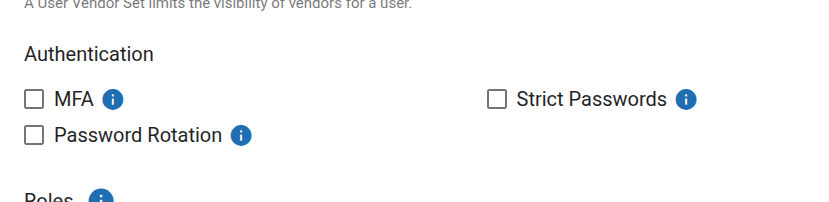
RoomBoss provides several security settings to help protect your account and user access.
These settings can be enabled by a Master Account User or Super Admin, and apply to each user within the account.
Sensitive Account and Payment Settings Notifications
To help protect against possible account takeover, RoomBoss sends email notifications to Super Admins when sensitive account or payment settings are accessed or changed.
Email Notification When Sensitive Controls Are Accessed
When the Sensitive Controls section of the Account Details page is accessed, an email notification is sent to the Super Admins on the account.
Please review these changes to ensure your account's Sensitive Controls remains correctly configured. You can view and manage these settings here: Account Settings.
If this access was not authorized by your organization, we recommend that you immediately review your internal user permissions and account security settings.
Email Notification When a Payment Gateway Is Added or Edited
When a payment gateway is added or edited from the Online Payment Gateways page, an email notification is sent to the Super Admins on the account.
Please review this change to ensure it aligns with your company's requirements. You can view and manage your gateway configurations on the Online Payment Settings.
If this change was not authorized by your organization, we recommend that you immediately review your internal user permissions and account security settings.
Available Security Features
While RoomBoss sends notifications when Sensitive Controls are accessed or when changes to payment gateways are detected, we recommend enabling additional security features to help protect your account.
Multi-Factor Authentication (MFA)
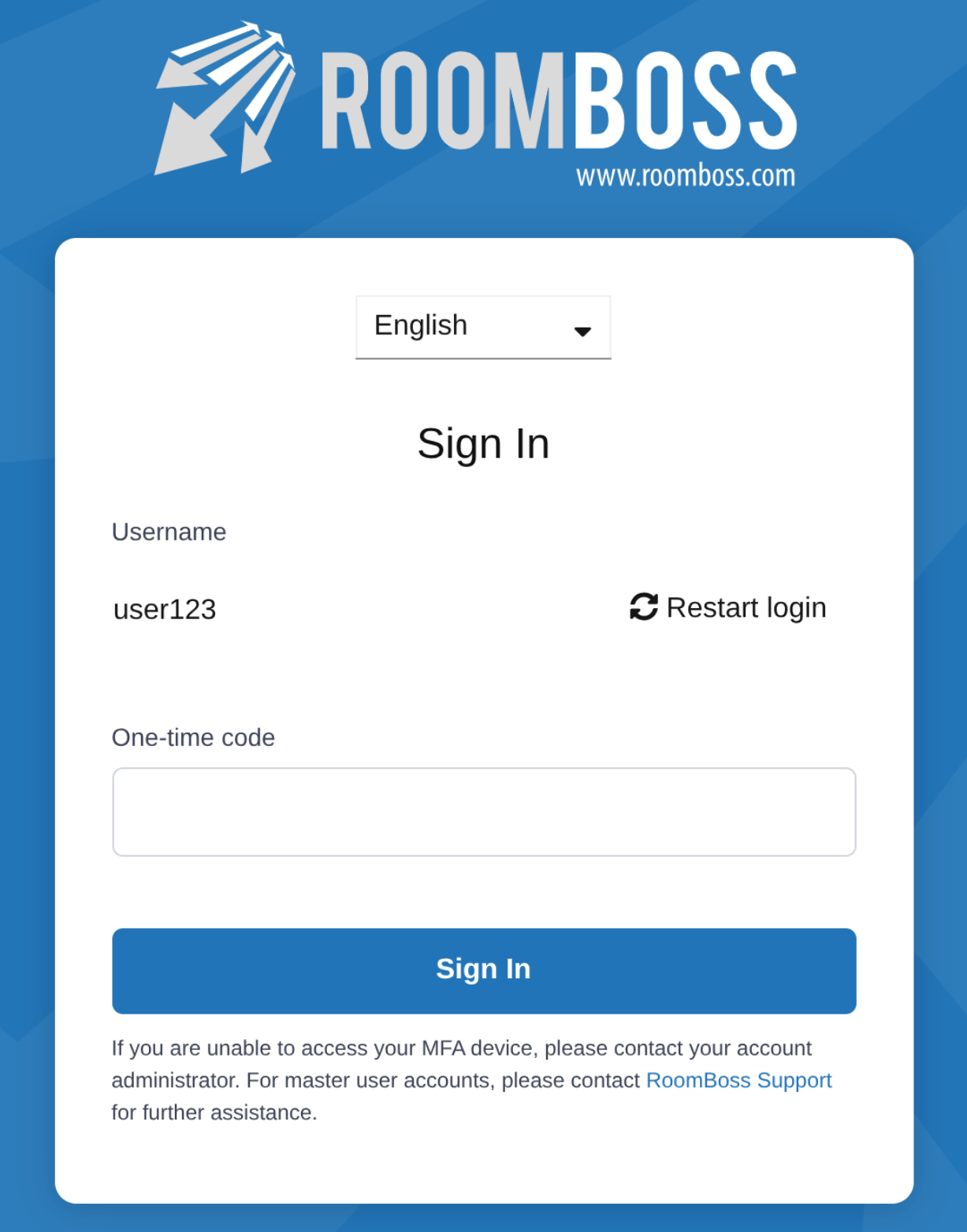
When MFA is enabled, users are required to use an authenticator app for all future logins.
This adds an extra layer of security beyond username and password.
Once enabled:
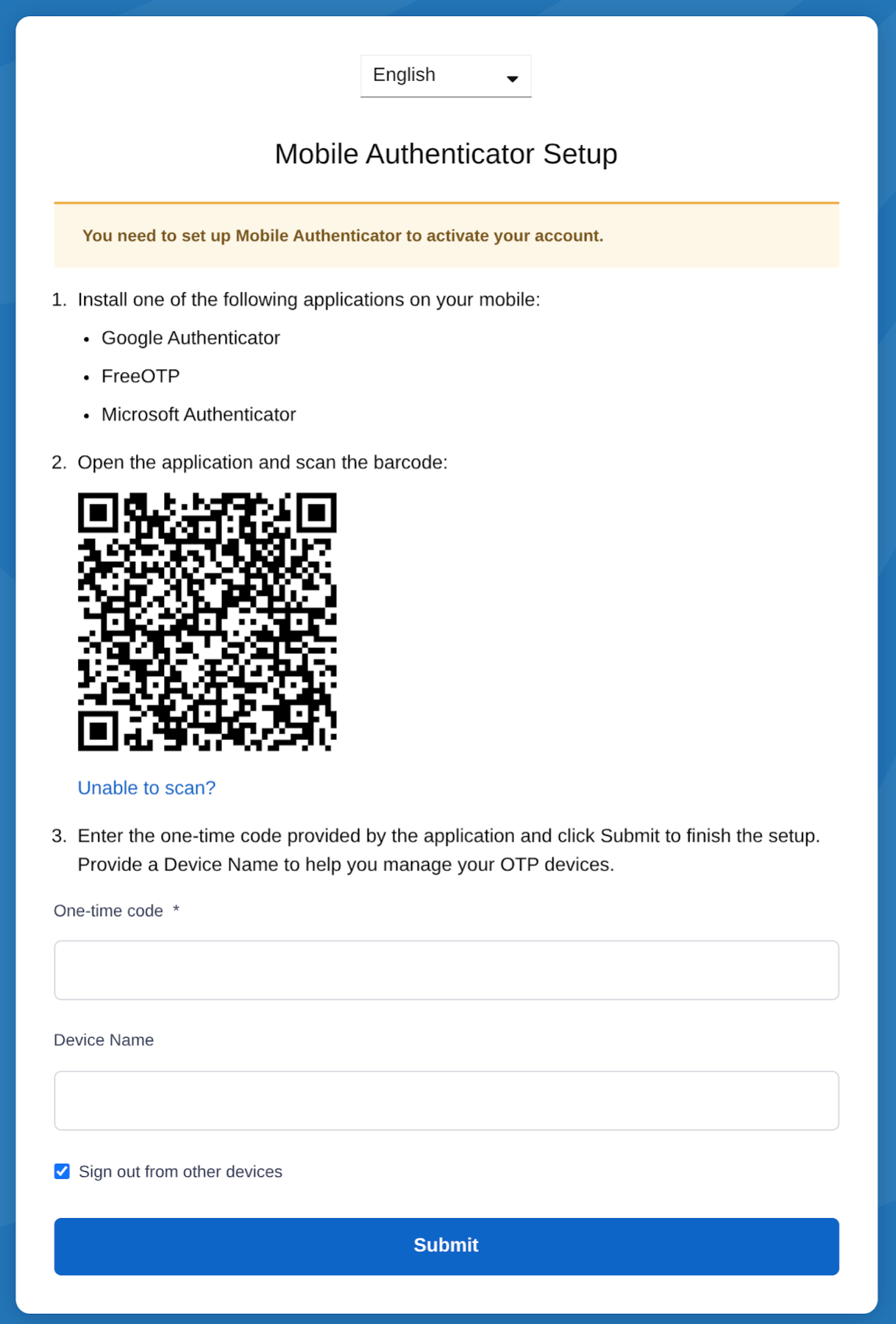
- Users will be prompted to register an authenticator app on their next login.
- After registration, users must enter a one-time code from the authenticator app when logging in.
Supported authenticator apps include:
- Google Authenticator
- Microsoft Authenticator
- FreeOTP
Recovery and reset
- If a user loses access to their authenticator app, a Master Account User or Super Admin can reset MFA for that user, by disable and re-enable the option.
- If the Master Account User loses access to their authenticator app, please contact RoomBoss Support.
Registering an Authenticator App
Logging in with an Authenticator App
Strict Passwords
When Strict Passwords is enabled, all future password changes must meet stronger security requirements.
Passwords must:
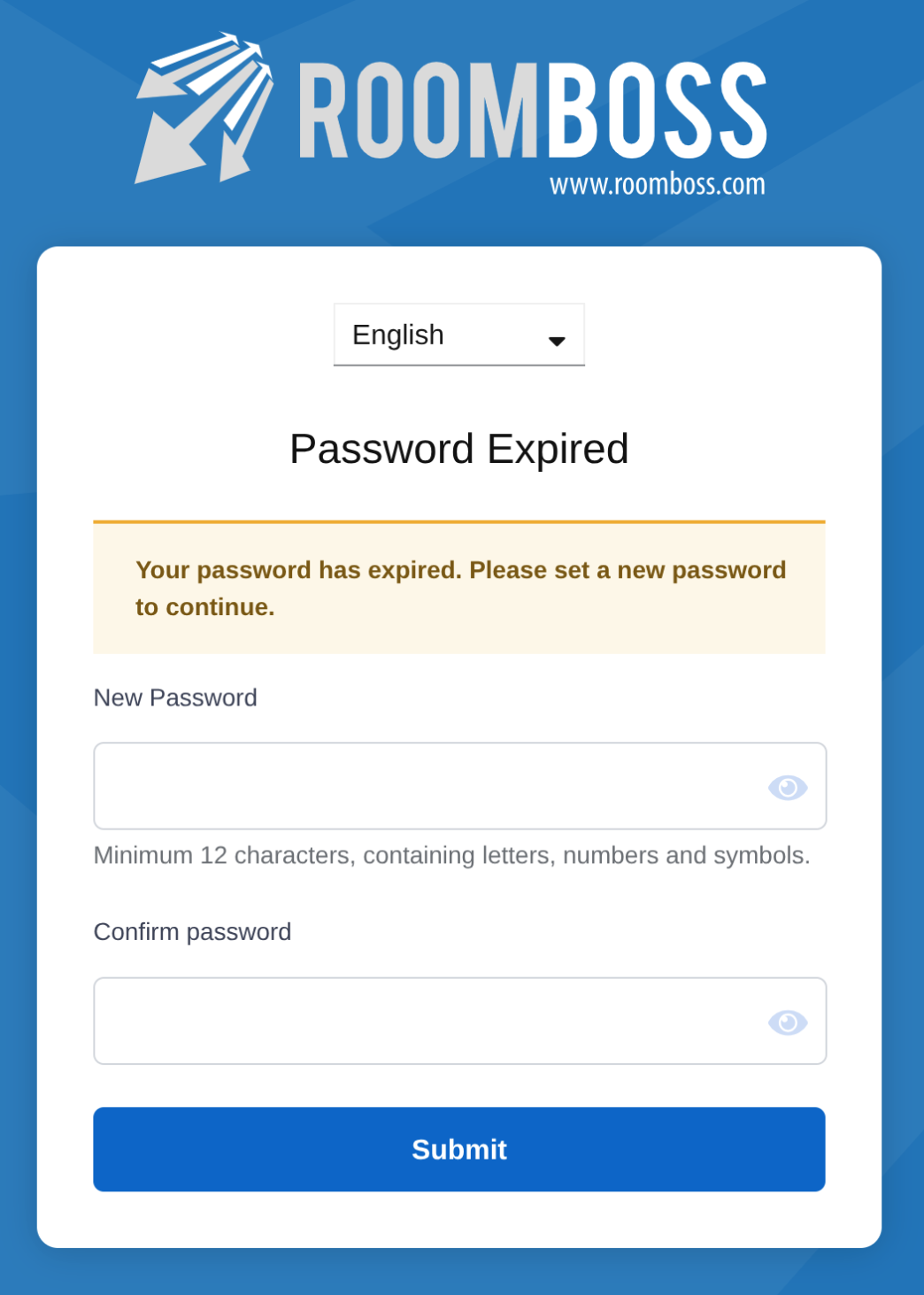
- Be at least 12 characters long
- Include a combination of:
- Letters
- Numbers
- Symbols
- Not repeat one of the user's last 4 passwords
This rule applies whenever a user updates or resets their password.
Password Rotation (90 Days)
When Password Rotation is enabled:
- Users are required to update their password every 90 days.
- If a user logs in and their password has not been changed within the last 90 days, they will be required to change it before continuing.
This helps reduce the risk of long-term password exposure.
- These security settings apply to each user once enabled.
- Changes take effect immediately and are enforced at the user’s next login or password change.
- It is recommended to inform users in advance before enabling stricter security rules.