Daily Procedures
RoomBoss Housekeeping Reports provide both a detailed report of all existing cleaning tasks via the View report and a long term projection of future cleans the time required for cleaning and other related details via the Forecast report.
View Report
The Housekeeping Report will show all existing cleans for a chosen date range.
Navigate to Operations → Housekeeping Report and choose the View tab.
Select the property you want to view, select the From, Number of Days and Task Types, then click View, This will show all existing cleans for the chosen date range.
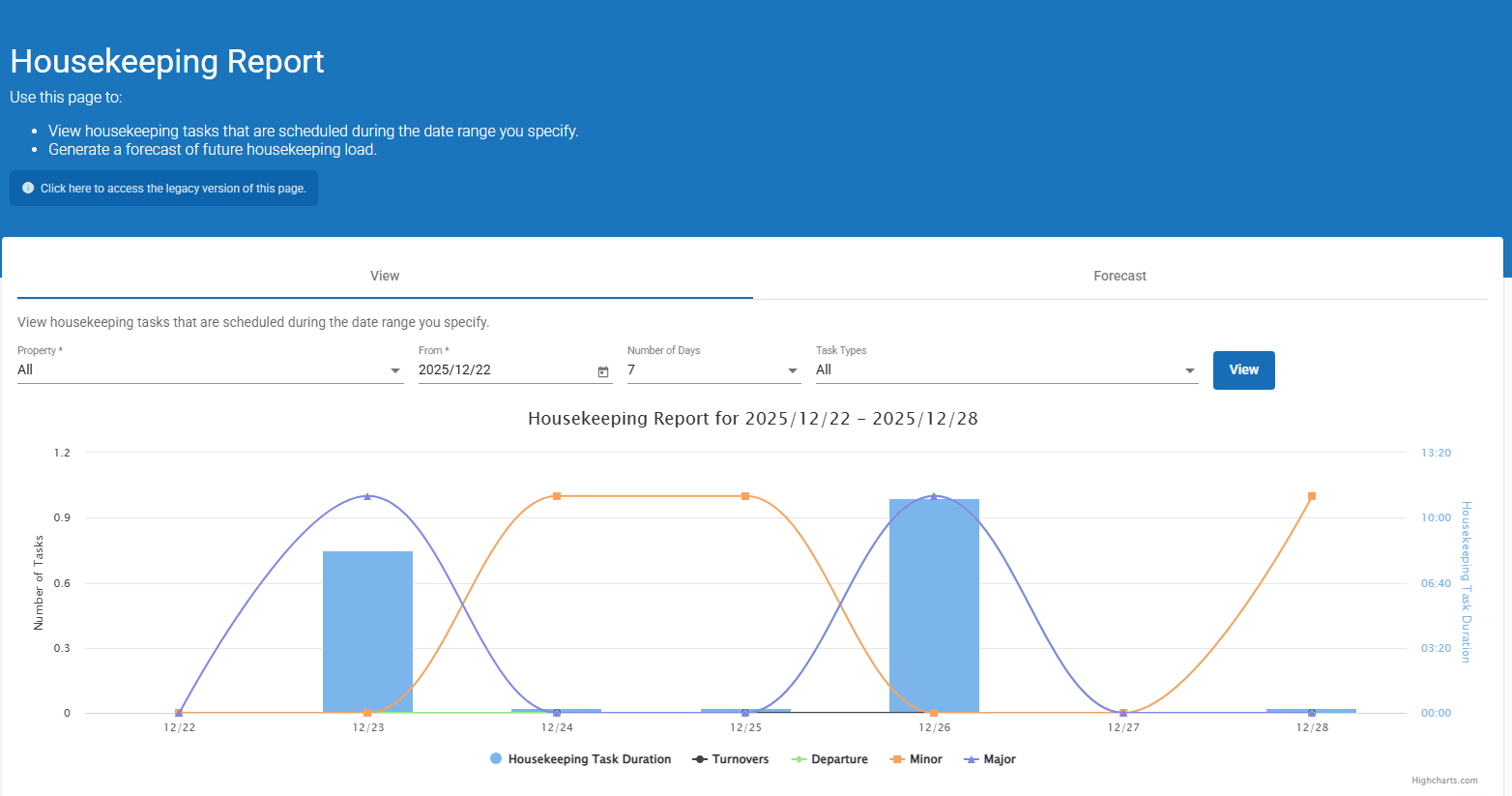
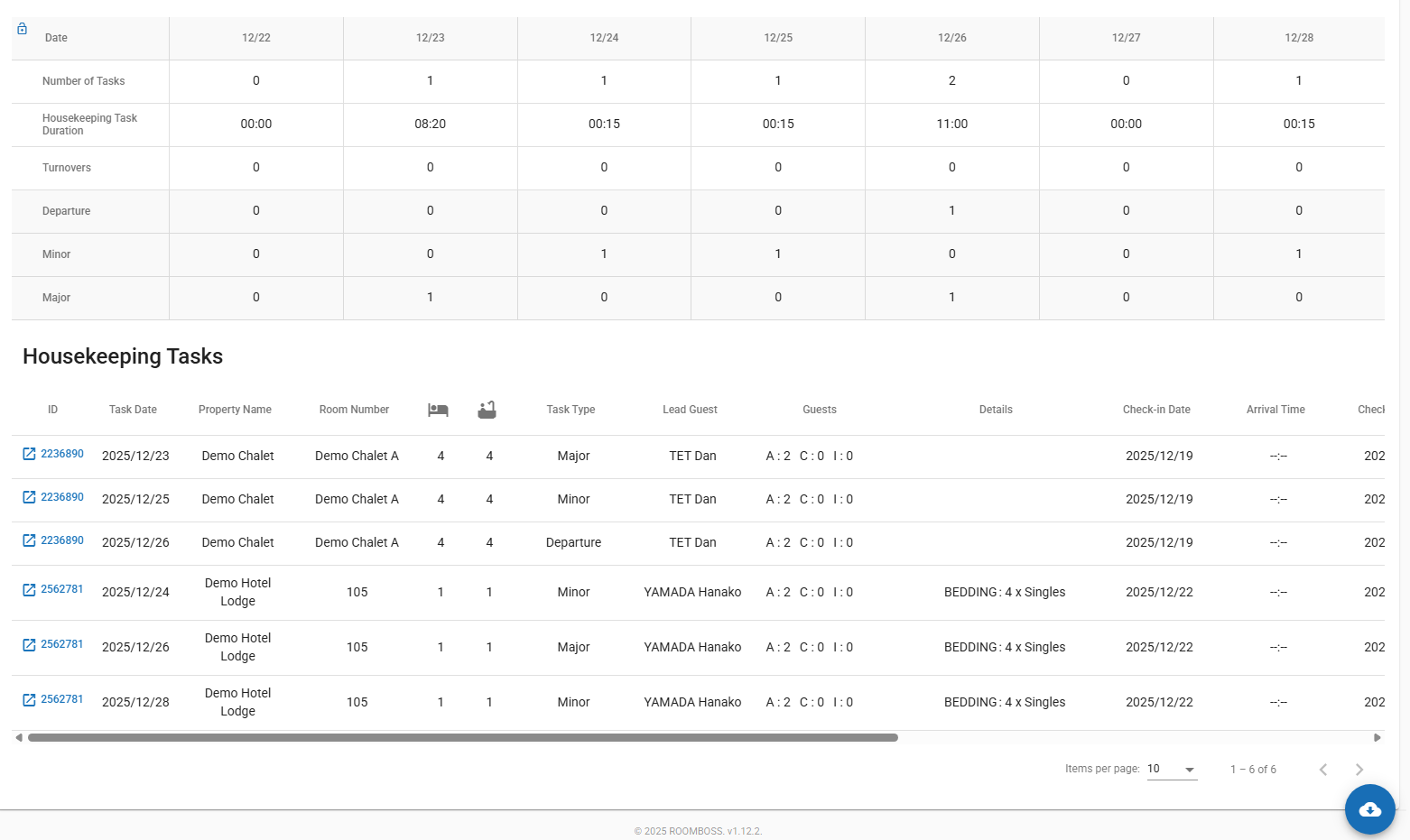
Downloading data: Click Download to Excel at the bottom of the screen, then click either Download as PDF or Download to Excel.
info
- Housekeeping forecast is intended to provide a forecast to assist in tasks such as staff scheduling.
- It is based on booking stay dates and the schedules selected for each booking.
- Cleans for all booking that are live will be included.
- Manual cleans and edits made to cleaning are not included.
- No cleans are created in any bookings, it is not necessary to run the housekeeping update before the forecast.