Property & Room Type Attributes
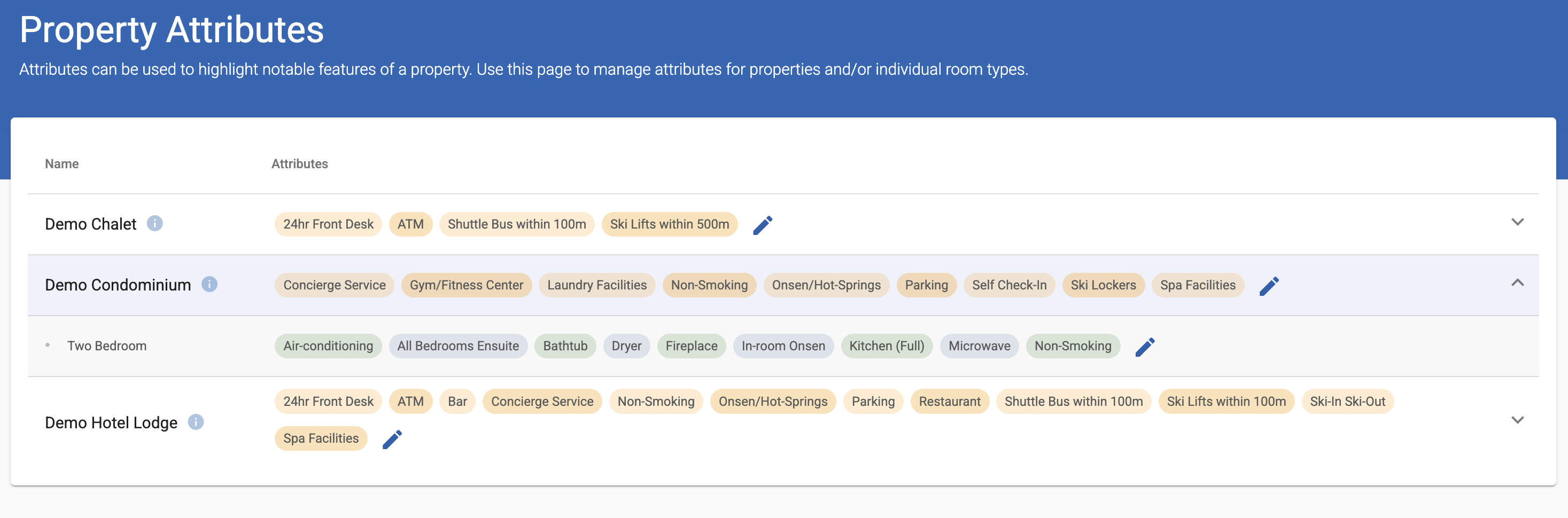
The Property Attributes page allows you to assign key features such as Onsen/Hot-Spring, Ski-in Ski-Out, or Parking to accommodation properties and room types.
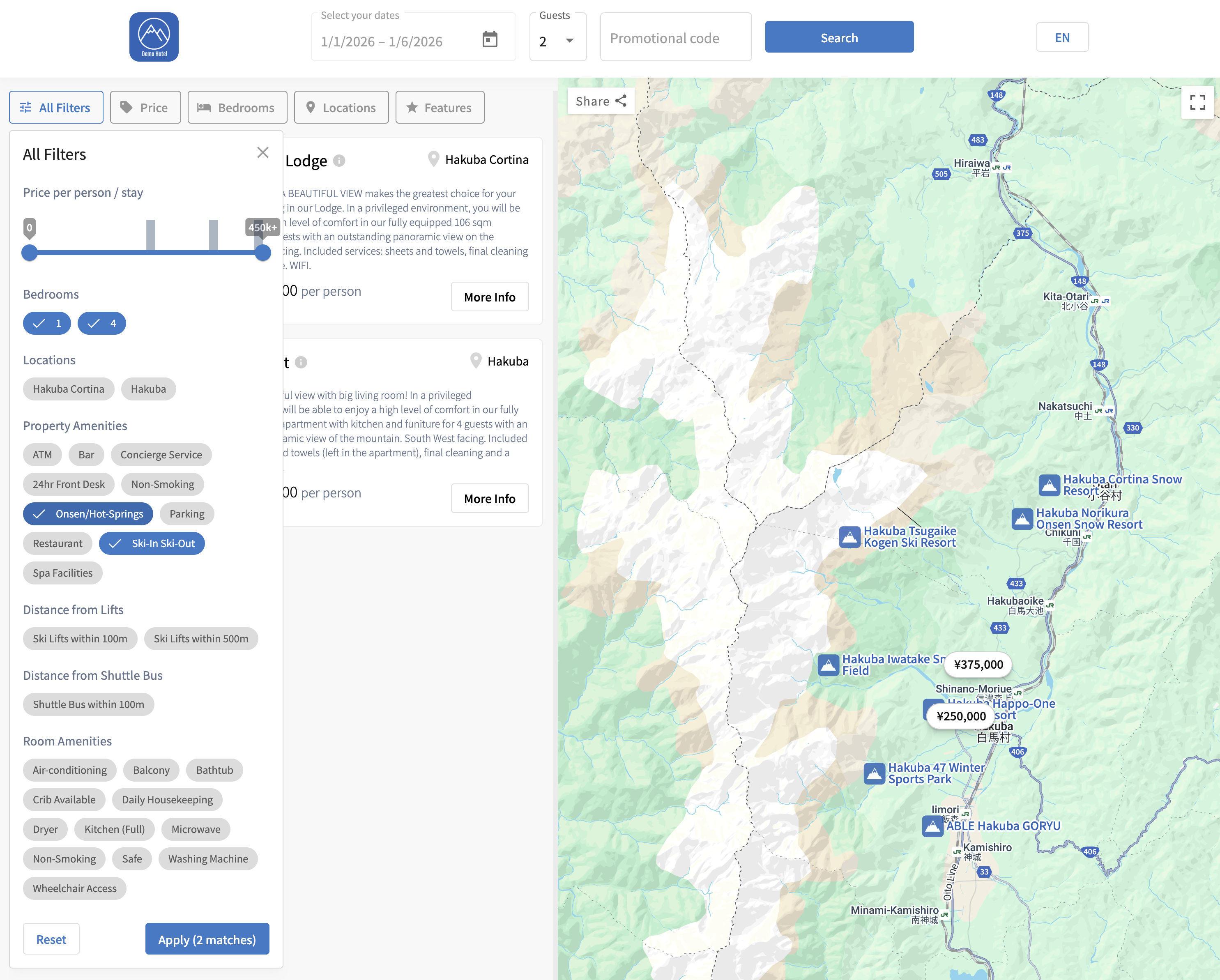
These attributes enhance the Accommodation Booking Engine, allowing guests to filter search results, and checking specific property features.
Navigation Path
Product Setup → Property Attributes
How It Works
- Attributes act as tags or filters within the accommodation booking engine.
- When guests search for accommodation, these tags appear as filter options.
For example, selecting “Ski-in Ski-Out” will display only ski-in/ski-out properties.
Setting Attributes
- Navigate to Product Setup → Property Attributes.
- Select whether you want to edit by clicking the pen icon:
- Vendor, or
- Room Type by clicking the arrow on the right.
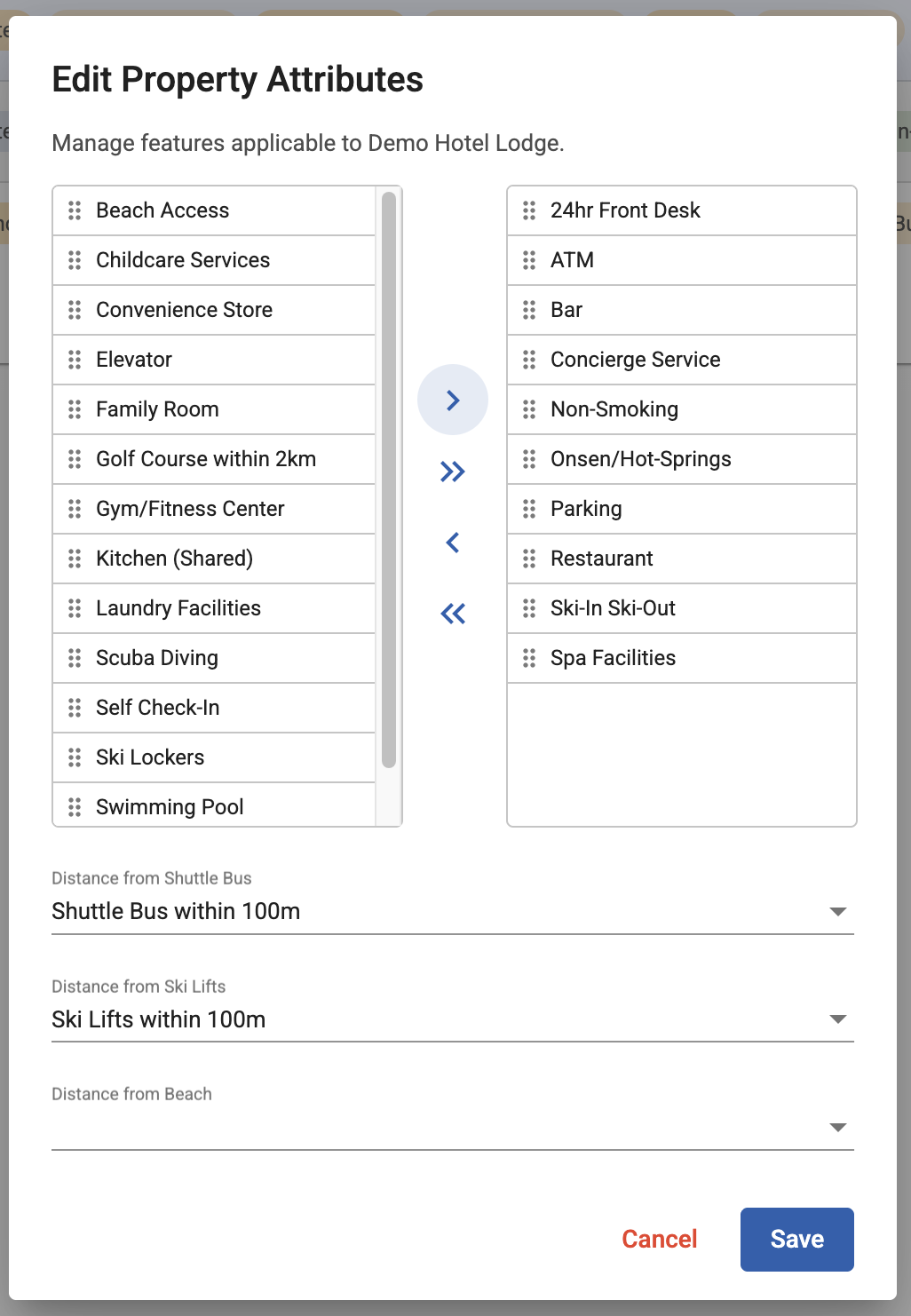
- Choose attributes from the available system list for that level.
- Click Save to apply.
Changes made here are automatically reflected in the Accommodation Booking Engine.
Example Use Cases
- Tag a property with Onsen/Hot-Spring and Ski-in Ski-Out to help users find chalets with those features.
- Add Air-conditioning or Non-Smoking to specific room types to improve guest search accuracy.
- Highlight unique amenities such as Pet Friendly or Wheelchair Access.