Use Advanced Settings “Conditions”
Advanced Settings conditions can be used to adjust automated email content based on the contents of each guest's package.
This allows you to show guests the information that is relevant to what they have booked, while also hiding information that does not apply to them.
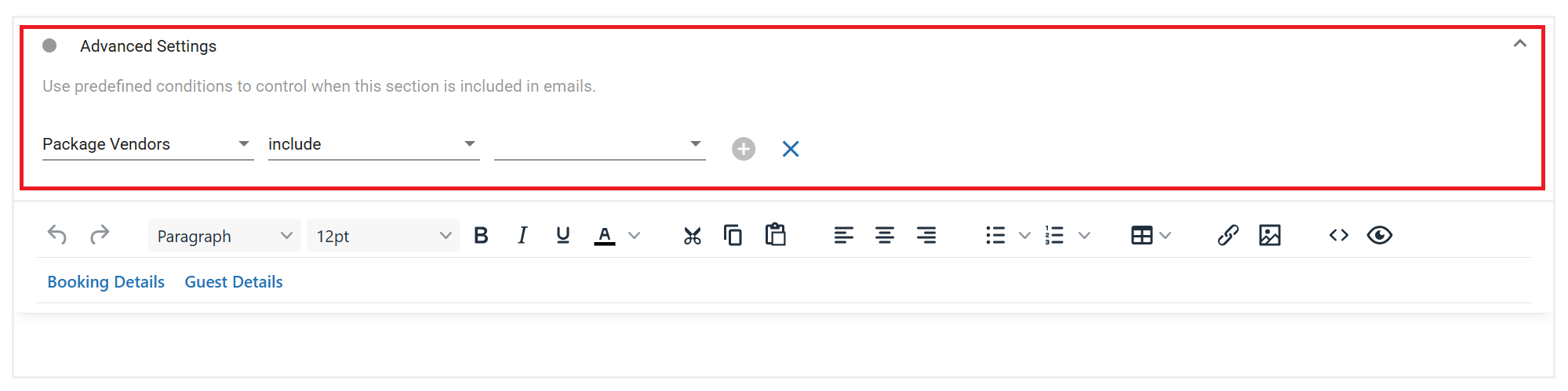
For example, you could use Advanced Settings conditions to:
- Include bedding option information only for the room types that have been booked.
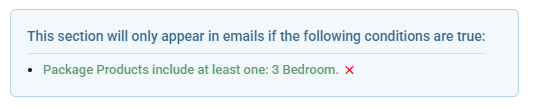
- Include private Ski/Snowboard lesson meeting point instructions only if a private lesson category item has been booked.

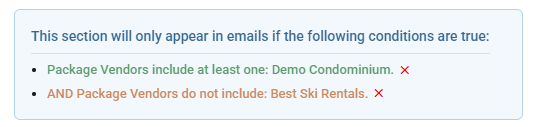
- Include a call to action to book ski rentals from the Demo Condominium in house rental store only if the guest's package does not already include a booking for this vendor.
Each content block is evaluated separately. This means one email template can contain general information for all guests, plus additional blocks that are shown only when the guest's booking matches specific vendors, categories, or products.
Multiple conditions on the same block are evaluated together. All conditions must be met for the block to be included.
Different blocks can use different conditions. This allows one template to show different content to different guests, depending on the booking.