GMO Integration
Link GMO with RoomBoss
- Login as the user's admin account
- Navigate to Product Setup → Online Payment Settings
- Enter any name in "Name".
- Select GMO in "Payment Account Type".
- Check the ShopId, ConfigId, and ShopPass in the GMO admin screen, then enter them. Please refer to the locations below for where to find this information.
- Click the Add Payment Gateway button.
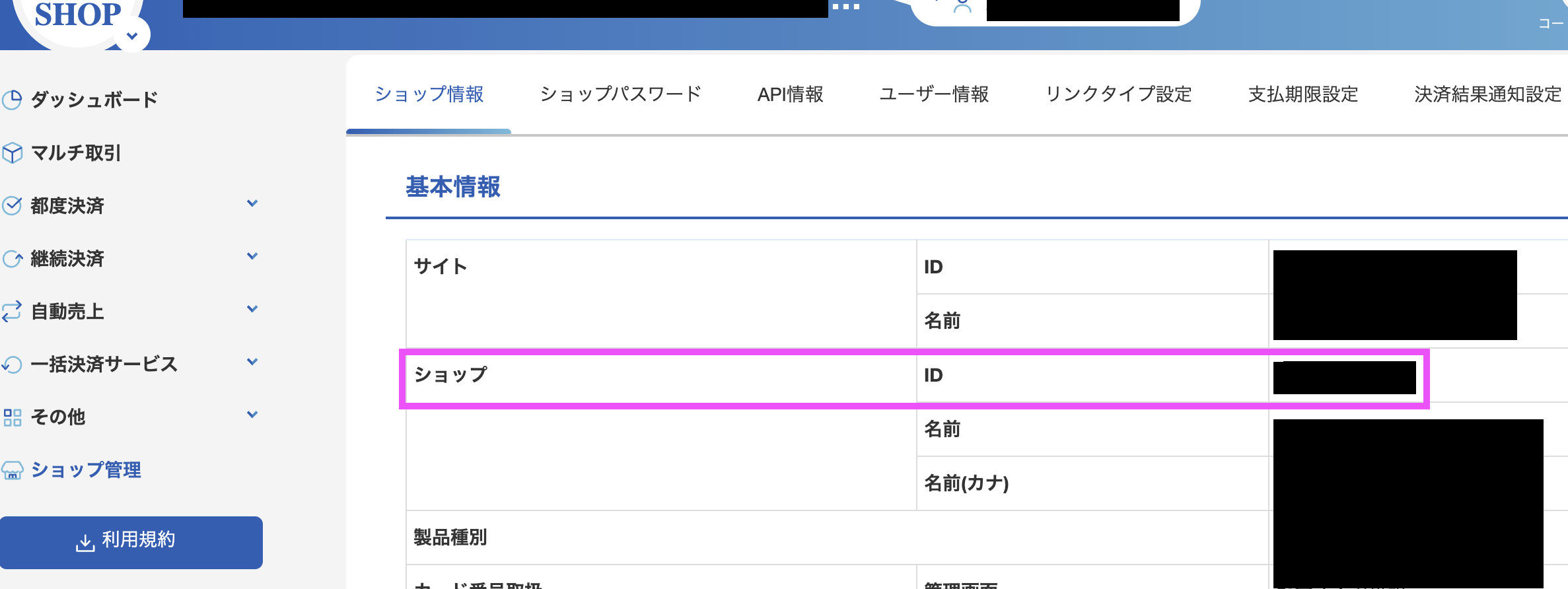
ShopId
Find this information in その他 >> リンクタイプPlus >> 設定 tab >> 設定ID field
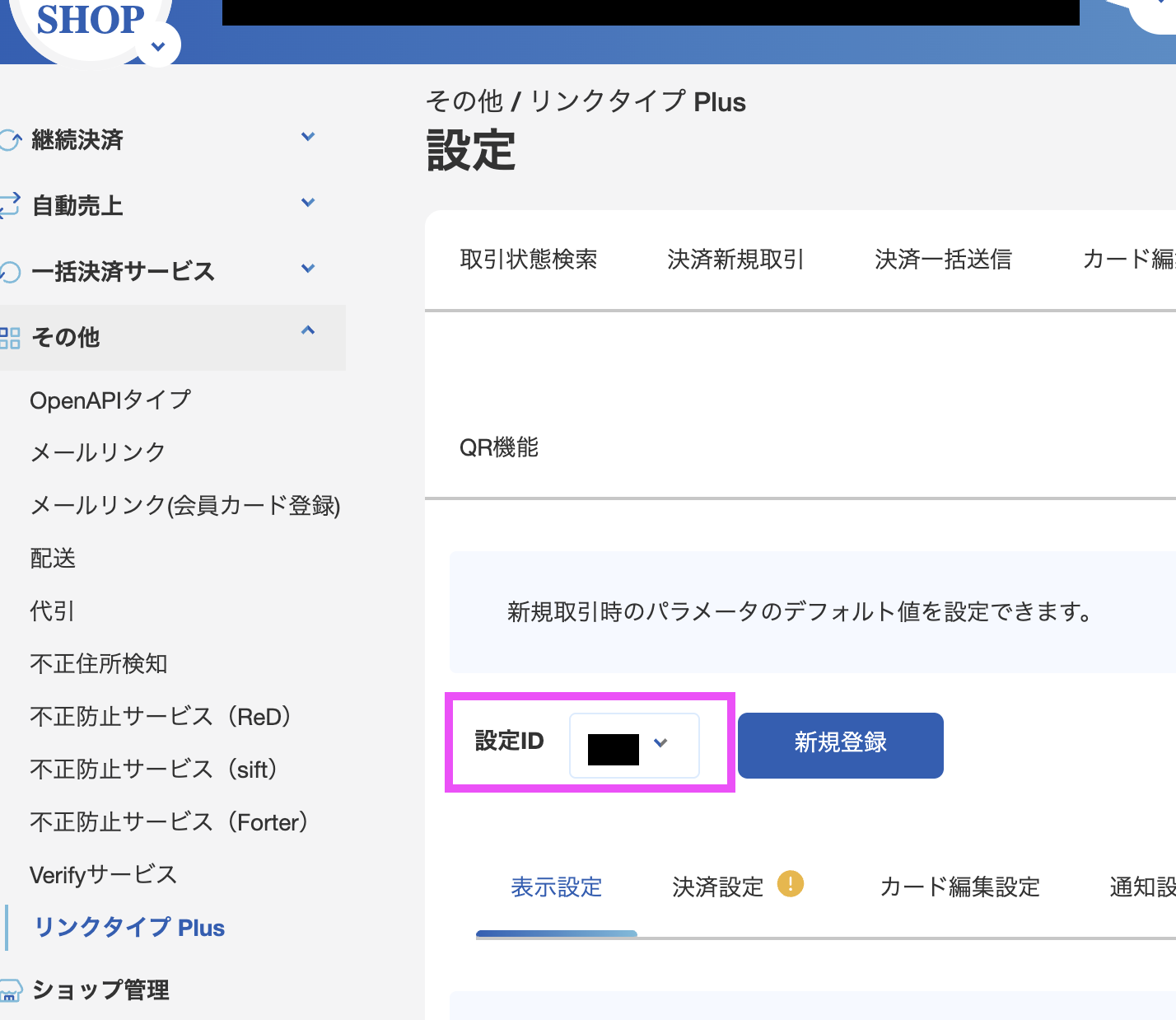
ConfigId
その他 >> リンクタイプPlus >> 設定タブ >> 設定ID
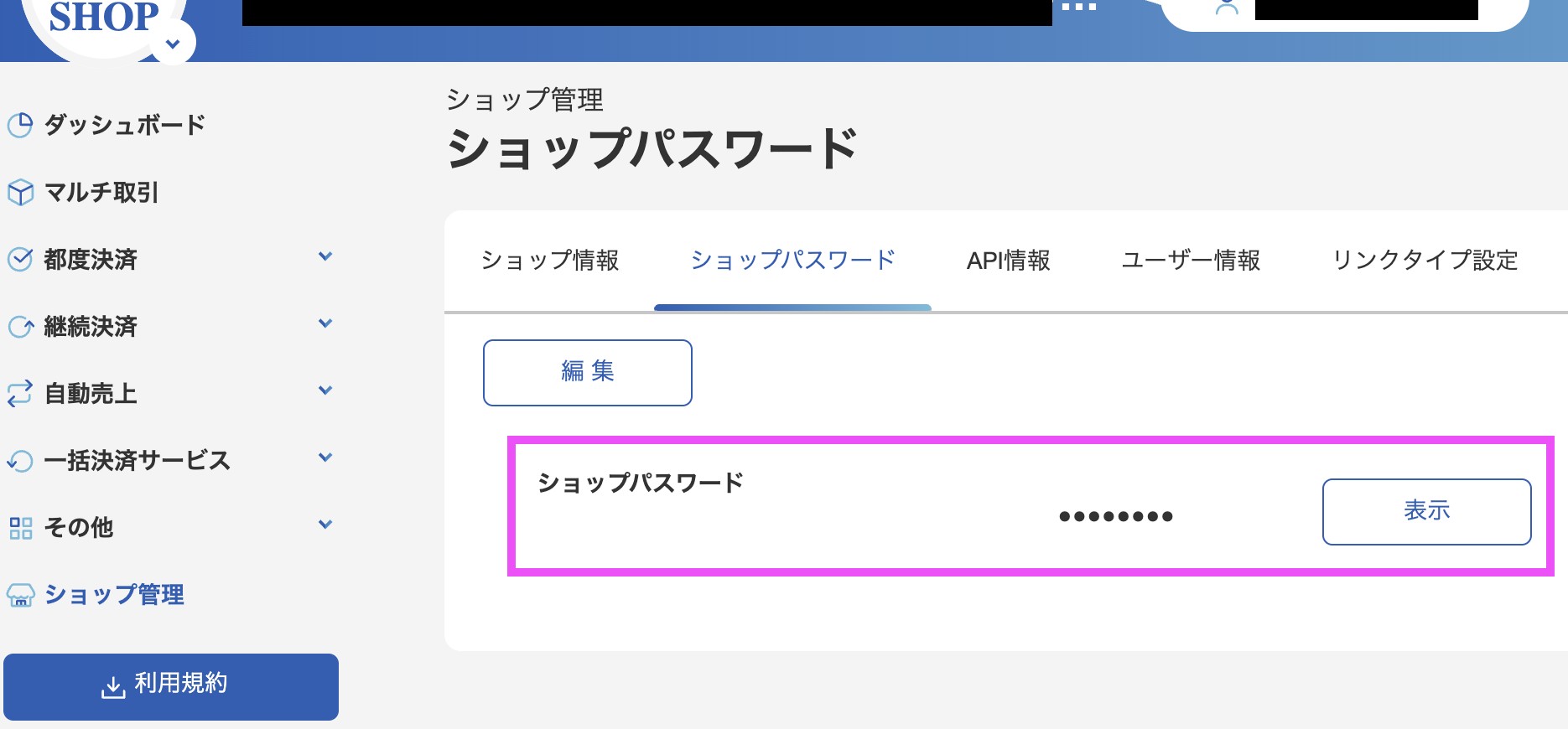
ShopPass
Find this information in ショップ管理 (Shop Management) page >> ショップパスワード (Shop Password) tab. This tab will be available only when logging in as the initial admin user. You can't find it if you log in as other admin user which were created later.